Keep Your Loved Ones Connected

A simple plug-in device that displays messages, photos, and appointments from friends or family — right on their dedicated screen. No phone needed. No tech skills required.

See How It Works Buy Now

Who Is It For?

Designed for people who find phones and tablets too complicated

Your Friends and Family Can Always Be In Touch

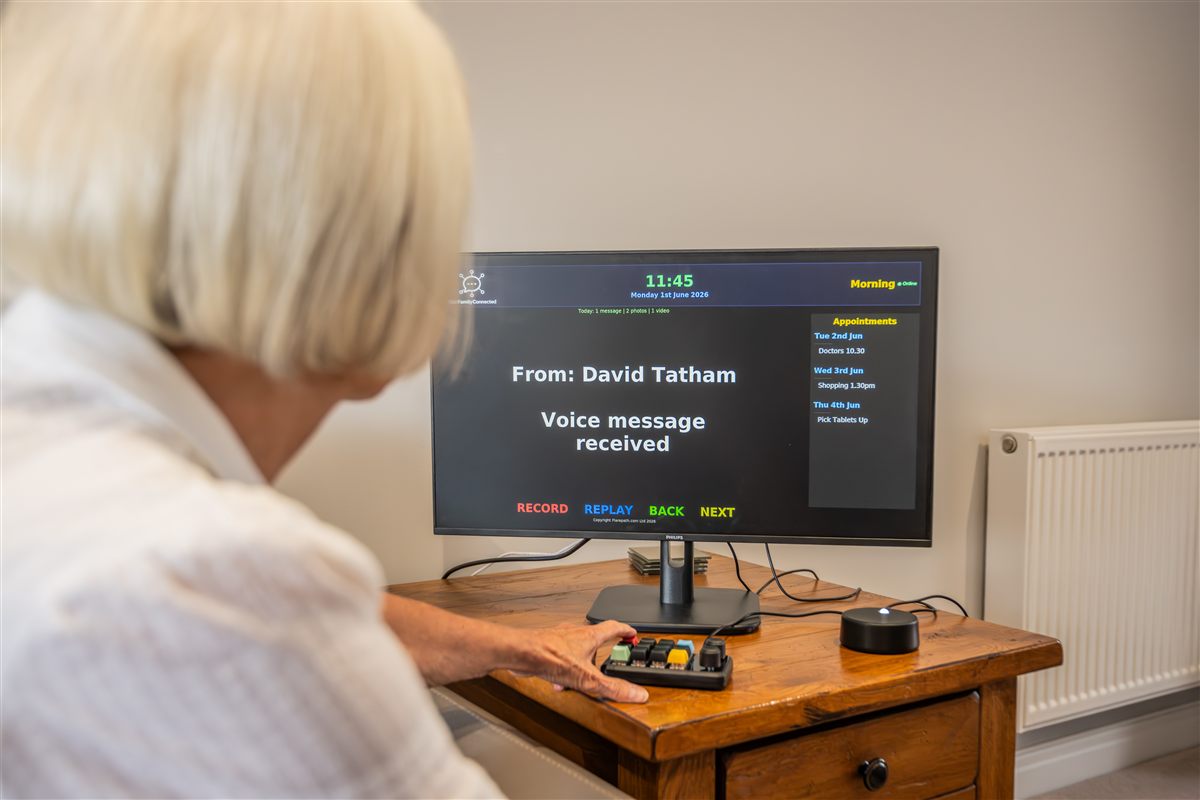
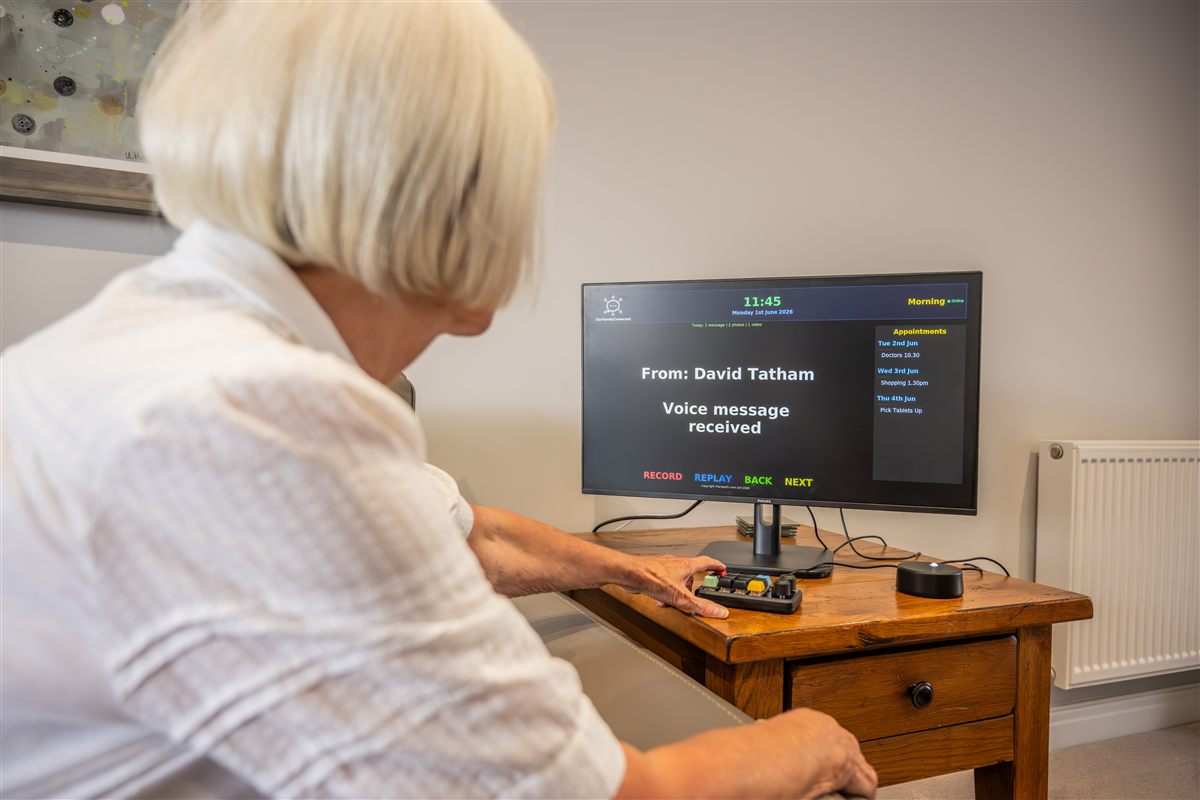
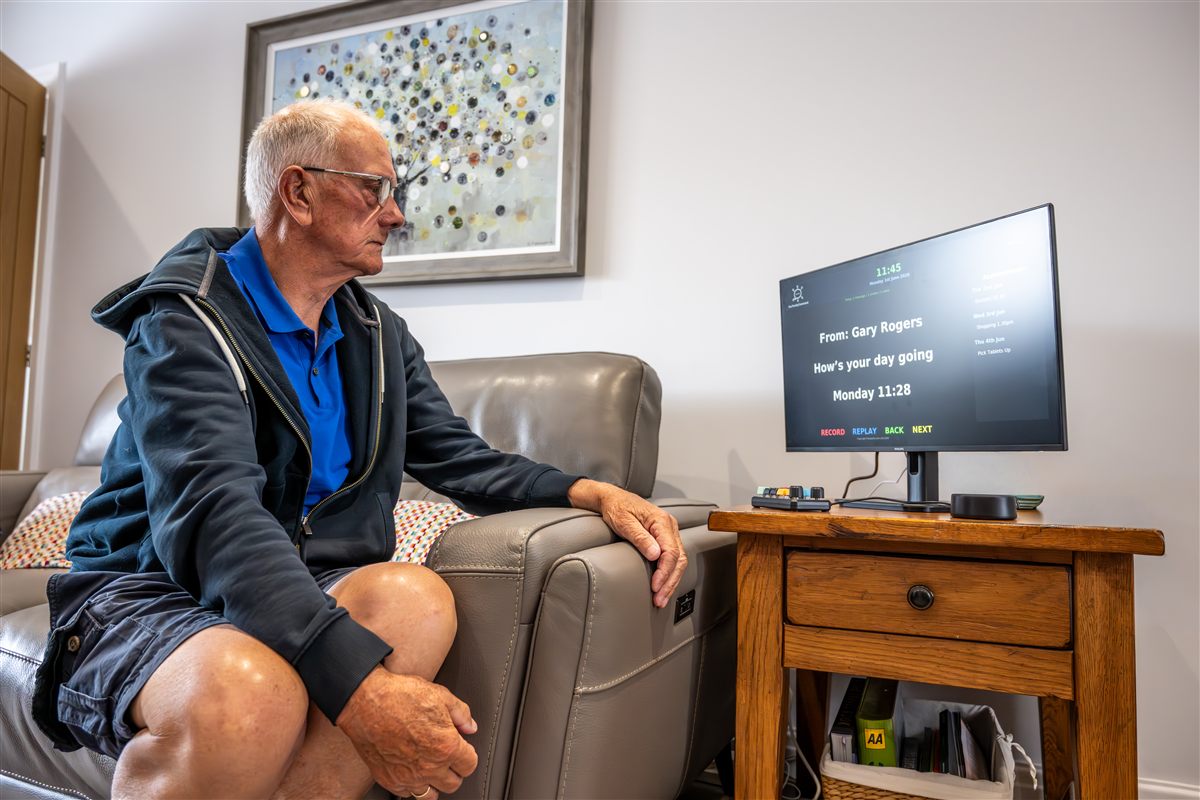
Many people are cut off from loved ones because they can't use smartphones. OurFamilyConnected solves this by bringing messages directly to their dedicated screen — automatically, with no interaction needed.

  • Elderly parents or grandparents living alone
  • People with dementia or memory loss
  • Anyone who finds phones and tablets confusing
  • People with limited mobility or dexterity
  • Care home residents who want to stay in touch
  • Anyone recovering from illness or surgery at home
  • Visually impaired people who benefit from spoken messages
Elderly person reading messages on OurFamilyConnected

Designed to Help, Not Complicate

Every feature has been carefully chosen to keep things simple and meaningful

💬

Text Messages

Send a message from your device and it appears on the screen within seconds. Messages are read aloud automatically through the speaker — twice, to make sure they're heard.

📸

Photos & Videos

Share photos of grandchildren, holidays, or family events. They display beautifully on the screen. Videos play automatically too.

🎙️

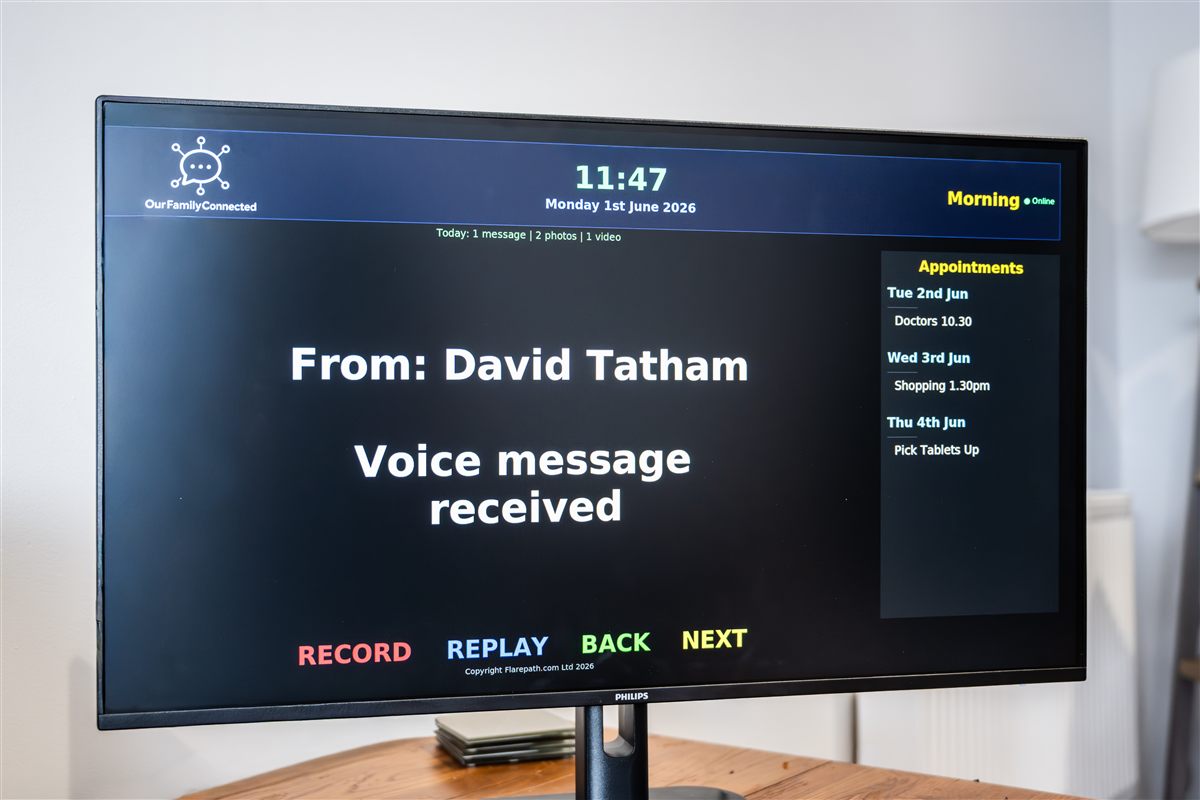
Voice Messages

The user simply presses a button to record a voice message that gets sent straight to the family group. A 2-minute limit prevents accidental long recordings.

🕐

Dementia-Friendly Clock

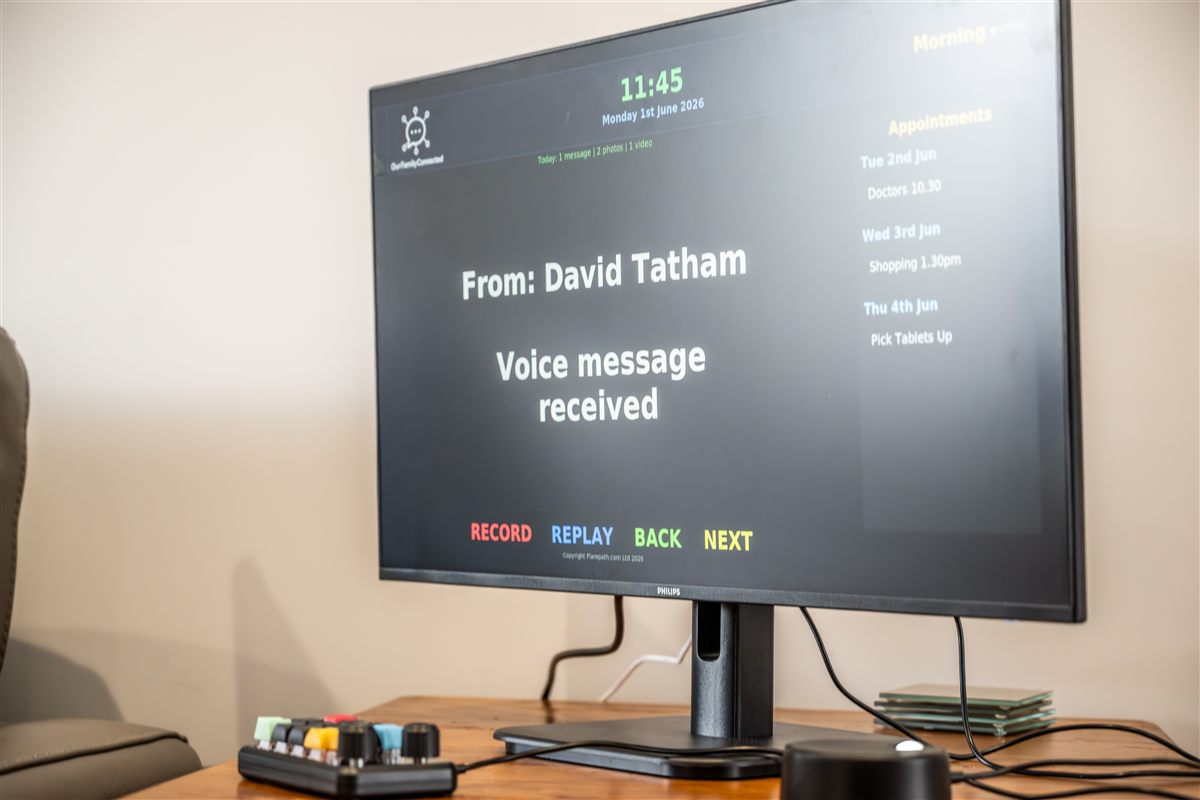
A large, high-contrast clock display shows the time, date, and day clearly. Visual cues for morning, afternoon, evening and night reduce confusion.

📅

Calendar & Appointments

Family members can add, remove, and manage appointments remotely from their phone. The calendar sidebar displays upcoming events on screen.

🔊

Text-to-Speech

Every message is spoken aloud through the speaker using natural-sounding Google voices. A gentle chime plays first to get attention, then the message is read clearly.

📱

Easy WiFi Setup

No keyboard or mouse needed. When first plugged in, use your phone to connect the device to WiFi through a simple web page.

🔧

Remote Support

Built-in remote access tools let the support team help without needing to visit. Troubleshoot and configure from anywhere in the world.

Always On

The device runs 24/7, automatically rebooting at midnight. Messages survive reboots. Old calendar entries are cleaned up automatically. Zero maintenance needed.

Dementia-Friendly Clock

Helping your loved one stay oriented with clear time, day, and date information

  • Extra-large, high-contrast time display visible from across the room
  • Full day name, date, and month — no abbreviations
  • Time-of-day labels: Morning, Afternoon, Evening, Night
  • Colour-coded background changes between day and night
  • Time spoken aloud alongside messages for orientation
  • Always visible — the clock never turns off or goes to sleep
  • Reduces anxiety and confusion about what time and day it is
10:45
Morning
Friday 2nd May 2026
Good Morning

Remote Calendar Management

Add and manage appointments from anywhere, all from your mobile device

Commands

cal 5.5.26 Doctor 10:30am

Add an appointment with date and description

del 5.5.26 Doctor

Remove an appointment by date and keyword

list

View all current appointments in the Telegram group

clearall

Remove all appointments from the calendar

── Appointments ──

Sat 3rd May
─────────────────
Hairdresser 2pm

Mon 5th May
─────────────────
Doctor 10:30am

Wed 14th May
─────────────────
Family Visit
Physiotherapy 3pm

Past appointments are automatically removed — no cleanup needed

Simple 4-Button Keypad

Your loved one only needs to know four coloured buttons

RECORDPress to start & stop recording
REPLAYHear the message again
BACKSee older messages
NEXTSee newer messages

No Complicated Controls

A small USB keypad with four clearly-labelled coloured buttons. That's all they need to interact with the device.

  • Record — Press once to start recording a voice message, press again to send it to the family group
  • Replay — Hear the current message read aloud again
  • Back — Browse to the previous (older) message
  • Next — Browse to the next (newer) message

Recording automatically stops after 2 minutes to prevent accidental long recordings.

Friends, Family & Care Providers

Everyone can participate — from anywhere in the world

👨‍👩‍👧‍👦

Multiple Family Members

Add as many people to the group as you like. Everyone can send messages, photos, and manage the calendar.

🌍

From Anywhere

Whether you're across town or across the world, messages arrive in seconds. Stay connected no matter the distance.

🏥

Care Providers

Carers, support workers, and healthcare professionals can send reminders, updates, and encouragement directly to the screen.

Simple Monthly Subscription

Everything included — one simple monthly fee

OurFamilyConnected Device

Contact Us for pricing
  • Pre-configured device, ready to plug in and go
  • USB speaker & microphone combo
  • USB keypad with colour-coded buttons
  • HDMI cable & power supply
  • Full setup and installation guide
  • Phone-based WiFi setup — no keyboard needed
  • Remote support included
  • Software updates & maintenance
  • Replacement device if anything goes wrong
Get In Touch

Frequently Asked Questions

Does my loved one need to know how to use technology?
No, not at all. Messages appear on the TV screen automatically and are read aloud. They don't need to press any buttons to receive messages. The keypad buttons are optional — for replaying messages or recording a voice reply.
Does it need internet?
Yes, the device needs a WiFi connection to receive messages. A standard home broadband connection is all that's needed. There are no special bandwidth requirements.
Can multiple family members send messages?
Yes! Create a group and add as many family members as you like. Everyone in the group can send messages, photos, videos, and manage the calendar. The device shows who sent each message.
What screen does it use?
We supply a dedicated screen as part of the subscription, so everything is ready to go out of the box. However, if you prefer, the device can also be connected to any TV or monitor with an HDMI input.
Does it need to be left on all the time?
Yes, the device should stay plugged in and switched on 24/7. It uses very little electricity (about the same as a phone charger). It reboots automatically at midnight each night to keep running smoothly.
What happens if the WiFi goes down?
The device will keep showing the last received messages and the clock will continue working. When WiFi is restored, it will automatically reconnect and pick up any missed messages.
Can my loved one reply to messages?
Yes! By pressing the red Record button on the keypad, they can record a voice message (up to 2 minutes) which is sent directly to the group for all family members to hear.
Is it suitable for people with dementia?
Absolutely. The large, high-contrast dementia-friendly clock helps with orientation. Messages are read aloud and repeated. The simple display reduces confusion. The calendar keeps track of appointments so they don't have to.
How do I get remote support?
The device has built-in remote access software. Our support team can connect securely to troubleshoot or make changes without needing to visit in person. The device just needs to be connected to WiFi.

Get In Touch

Interested in OurFamilyConnected? We'd love to hear from you